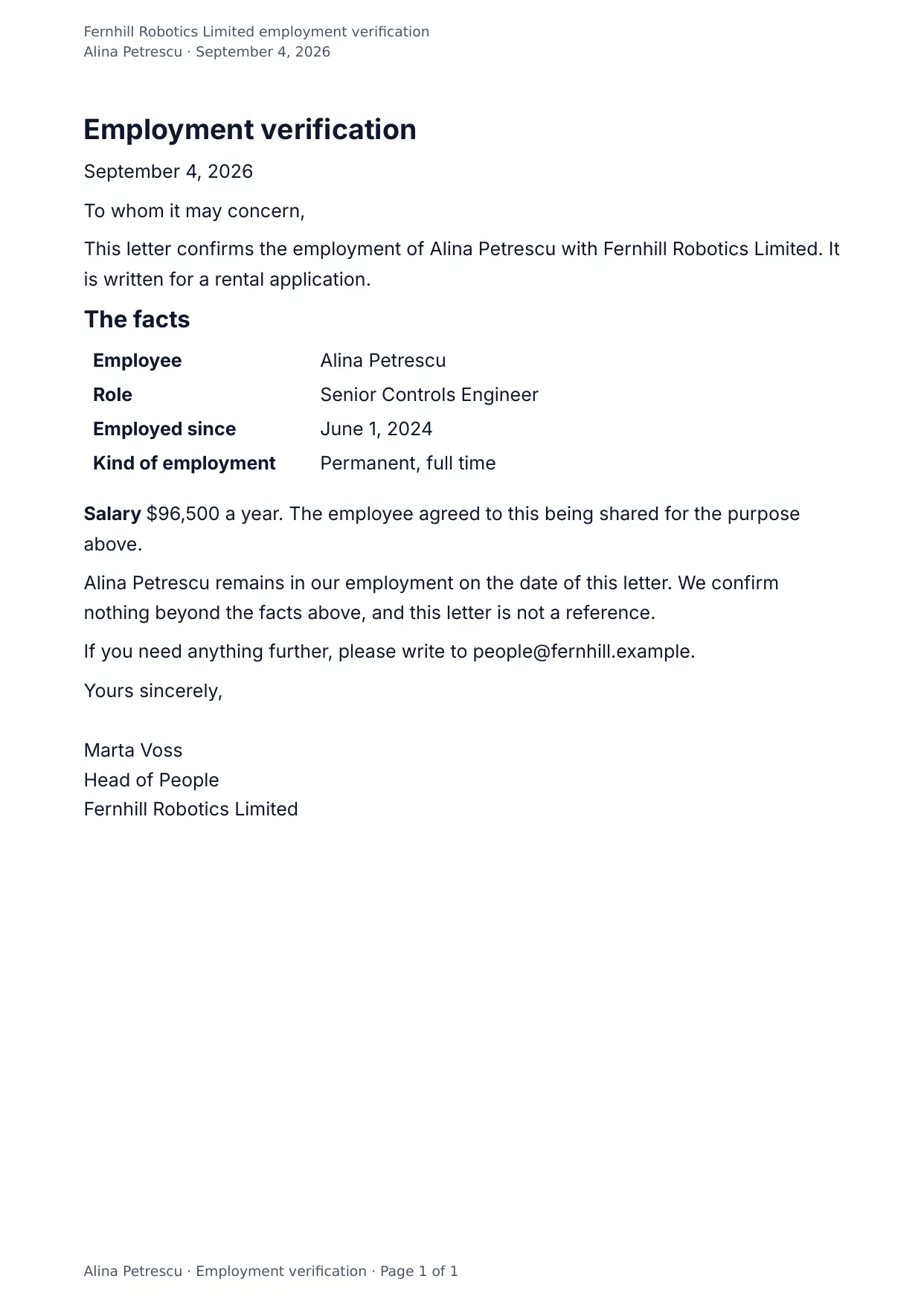
The first page of the document DocMake makes from the sample values on this page.
HR
Employment Verification Letter
Banks and landlords ask for the same three facts: that the person works for you, since when, and for how much. This letter states them cleanly on company letterhead wording.
HR fills in the details; the wording never drifts between requests.
Blanks to fill
| letter_date | Date |
| recipient | Who the letter is to |
| employee_name | Employee |
| company_name | Company |
| purpose | What the letter is for |
| role_title | Role |
| start_date | Employed since |
| employment_type | Kind of employment |
| salary | Yearly salary |
| hr_contact | Who to write to |
| signer_name | Who signs |
| signer_title | Their role |
The data behind the preview
This is the exact JSON that produced the document above. Change the values, POST them to the API, and you get your version back as DOCX or PDF. Lists grow and shrink with your data; the layout adapts.
- 01 Sign up free and duplicate this template into your workspace.
- 02 Adjust the wording and branding in the visual editor.
- 03 Fill it in the app, share it as a form link, or call the API.
{
  "company_name": "Fernhill Robotics Limited",
  "letter_date": "September 4, 2026",
  "recipient": "To whom it may concern",
  "employee_name": "Alina Petrescu",
  "role_title": "Senior Controls Engineer",
  "start_date": "June 1, 2024",
  "employment_type": "Permanent, full time",
  "salary": "$96,500",
  "purpose": "a rental application",
  "hr_contact": "people@fernhill.example",
  "signer_name": "Marta Voss",
  "signer_title": "Head of People"
}
Generate this document via the API
One template plus changing data is the whole point. The list of blanks above is the contract, and every new set of values comes back in the same layout: fill it in the app, hand someone a form link, or POST the JSON and get the file straight back.
The request below carries this page's own values, so it runs as soon as the template exists in your workspace. Swap the values for yours and the response is your document.
curl -X POST https://app.docmake.io/api/v1/render \
  -H "Authorization: Bearer $DOCMAKE_API_KEY" \
  -H "Content-Type: application/json" \
  -H "Accept: application/json" \
  --output employment-verification-letter.pdf \
  --data-binary @- <<'JSON'
{
  "template_id": "tmpl_your_template_id",
  "format": "pdf",
  "data": {
    "company_name": "Fernhill Robotics Limited",
    "letter_date": "September 4, 2026",
    "recipient": "To whom it may concern",
    "employee_name": "Alina Petrescu",
    "role_title": "Senior Controls Engineer",
    "start_date": "June 1, 2024",
    "employment_type": "Permanent, full time",
    "salary": "$96,500",
    "purpose": "a rental application",
    "hr_contact": "people@fernhill.example",
    "signer_name": "Marta Voss",
    "signer_title": "Head of People"
  }
}
JSON
tmpl_your_template_id is
a stand-in: build this template in the visual editor and copy the id it shows, or create one with POST /api/v1/templates. Keys, formats, strict mode and batches are in the API reference.
Or let an AI assistant do it
The DocMake MCP server lets Claude and other assistants make this document the same way. Install it once:
claude mcp add docmake \
  --env DOCMAKE_API_KEY=dm_your_api_key \
  -- npx -y @docmake/mcp@latest
Then ask for the document in plain words:
Make a PDF from my Employment Verification Letter template with date "September 4, 2026" and who the letter is to "To whom it may concern".
More hr templates
Certificate of Completion
A one page certificate naming the person, the course, the hours and the day they finished, with a line for the tutor to sign.
View template →Job Offer Letter
A warm letter offering the role, with the pay, the start day and the day the offer runs out, and a line to accept on.
View template →Performance Review
The year in one sheet: what was seen against each part of the job, the goals set last time, the goals for the next, and both sides signed.
View template →