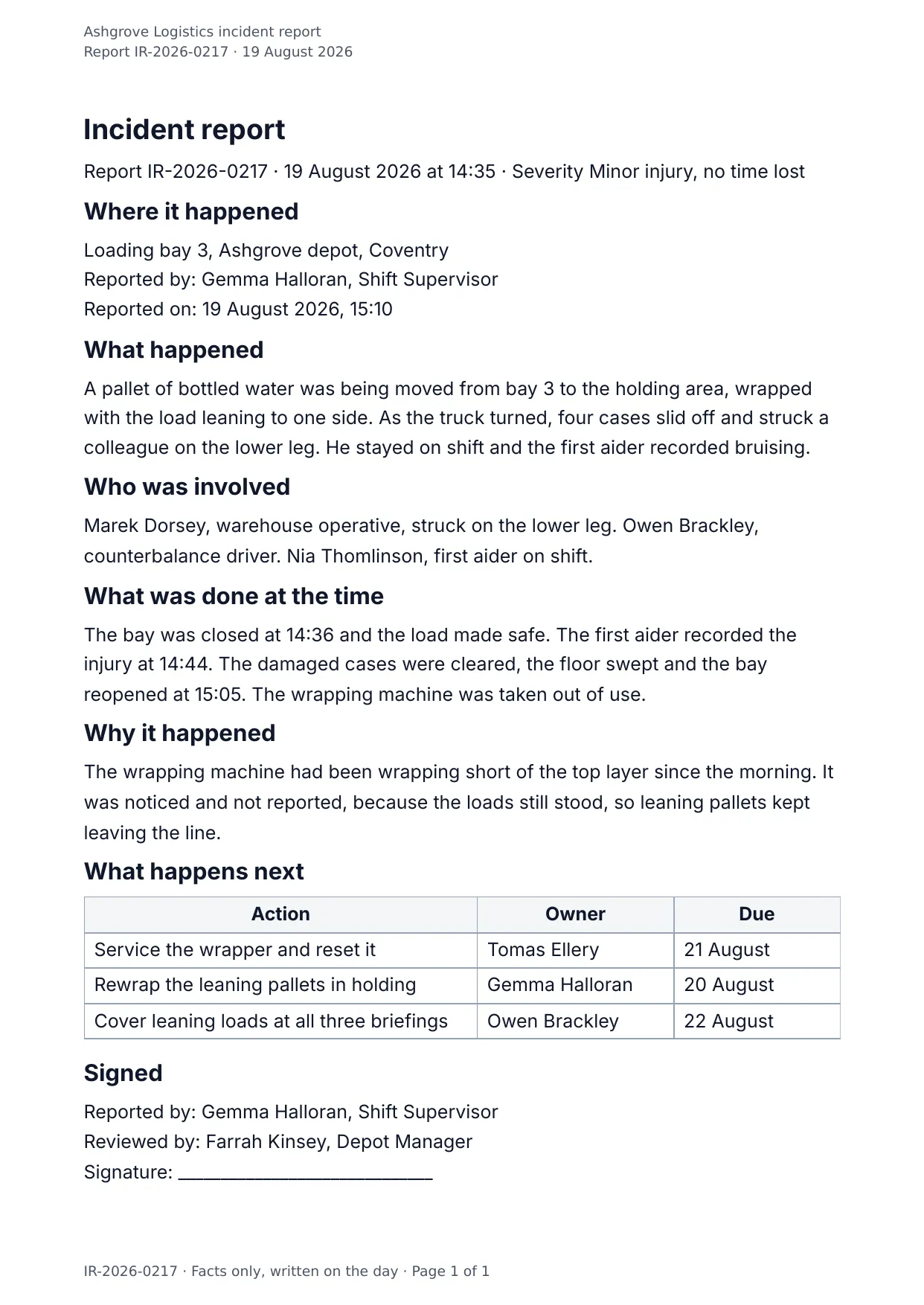
The first page of the document DocMake makes from the sample values on this page.
Operations
Incident Report
When something goes wrong, structure beats memory: the facts, the people involved, the immediate actions, and the follow-ups, captured the same way every time.
Works for workplace incidents, IT outages, and safety events alike.
Blanks to fill
| report_number | Report number |
| incident_date | Incident date |
| incident_time | Incident time |
| severity | Severity |
| location | Location |
| reported_by | Reported by |
| reported_on | Reported on |
| what_happened | What happened |
| people_involved | People involved |
| actions_taken | What was done at the time |
| root_cause | Why it happened |
| reviewed_by | Reviewed by |
| company_name | Company |
| follow_ups[] | One per item, so a row is added for every item in the list |
The data behind the preview
This is the exact JSON that produced the document above. Change the values, POST them to the API, and you get your version back as DOCX or PDF. Lists grow and shrink with your data; the layout adapts.
- 01 Sign up free and duplicate this template into your workspace.
- 02 Adjust the wording and branding in the visual editor.
- 03 Fill it in the app, share it as a form link, or call the API.
{
  "company_name": "Ashgrove Logistics",
  "report_number": "IR-2026-0217",
  "incident_date": "19 August 2026",
  "incident_time": "14:35",
  "severity": "Minor injury, no time lost",
  "location": "Loading bay 3, Ashgrove depot, Coventry",
  "reported_by": "Gemma Halloran, Shift Supervisor",
  "reported_on": "19 August 2026, 15:10",
  "what_happened": "A pallet of bottled water was being moved from bay 3 to the holding area, wrapped with the load leaning to one side. As the truck turned, four cases slid off and struck a colleague on the lower leg. He stayed on shift and the first aider recorded bruising.",
  "people_involved": "Marek Dorsey, warehouse operative, struck on the lower leg. Owen Brackley, counterbalance driver. Nia Thomlinson, first aider on shift.",
  "actions_taken": "The bay was closed at 14:36 and the load made safe. The first aider recorded the injury at 14:44. The damaged cases were cleared, the floor swept and the bay reopened at 15:05. The wrapping machine was taken out of use.",
  "root_cause": "The wrapping machine had been wrapping short of the top layer since the morning. It was noticed and not reported, because the loads still stood, so leaning pallets kept leaving the line.",
  "follow_ups": [
    {
      "action": "Service the wrapper and reset it",
      "owner": "Tomas Ellery",
      "due": "21 August"
    },
    {
      "action": "Rewrap the leaning pallets in holding",
      "owner": "Gemma Halloran",
      "due": "20 August"
    },
    {
      "action": "Cover leaning loads at all three briefings",
      "owner": "Owen Brackley",
      "due": "22 August"
    }
  ],
  "reviewed_by": "Farrah Kinsey, Depot Manager"
}
Generate this document via the API
One template plus changing data is the whole point. The list of blanks above is the contract, and every new set of values comes back in the same layout: fill it in the app, hand someone a form link, or POST the JSON and get the file straight back.
The request below carries this page's own values, so it runs as soon as the template exists in your workspace. Swap the values for yours and the response is your document.
curl -X POST https://app.docmake.io/api/v1/render \
  -H "Authorization: Bearer $DOCMAKE_API_KEY" \
  -H "Content-Type: application/json" \
  -H "Accept: application/json" \
  --output incident-report.pdf \
  --data-binary @- <<'JSON'
{
  "template_id": "tmpl_your_template_id",
  "format": "pdf",
  "data": {
    "company_name": "Ashgrove Logistics",
    "report_number": "IR-2026-0217",
    "incident_date": "19 August 2026",
    "incident_time": "14:35",
    "severity": "Minor injury, no time lost",
    "location": "Loading bay 3, Ashgrove depot, Coventry",
    "reported_by": "Gemma Halloran, Shift Supervisor",
    "reported_on": "19 August 2026, 15:10",
    "what_happened": "A pallet of bottled water was being moved from bay 3 to the holding area, wrapped with the load leaning to one side. As the truck turned, four cases slid off and struck a colleague on the lower leg. He stayed on shift and the first aider recorded bruising.",
    "people_involved": "Marek Dorsey, warehouse operative, struck on the lower leg. Owen Brackley, counterbalance driver. Nia Thomlinson, first aider on shift.",
    "actions_taken": "The bay was closed at 14:36 and the load made safe. The first aider recorded the injury at 14:44. The damaged cases were cleared, the floor swept and the bay reopened at 15:05. The wrapping machine was taken out of use.",
    "root_cause": "The wrapping machine had been wrapping short of the top layer since the morning. It was noticed and not reported, because the loads still stood, so leaning pallets kept leaving the line.",
    "follow_ups": [
      {
        "action": "Service the wrapper and reset it",
        "owner": "Tomas Ellery",
        "due": "21 August"
      },
      {
        "action": "Rewrap the leaning pallets in holding",
        "owner": "Gemma Halloran",
        "due": "20 August"
      },
      {
        "action": "Cover leaning loads at all three briefings",
        "owner": "Owen Brackley",
        "due": "22 August"
      }
    ],
    "reviewed_by": "Farrah Kinsey, Depot Manager"
  }
}
JSON
tmpl_your_template_id is
a stand-in: build this template in the visual editor and copy the id it shows, or create one with POST /api/v1/templates. Keys, formats, strict mode and batches are in the API reference.
Or let an AI assistant do it
The DocMake MCP server lets Claude and other assistants make this document the same way. Install it once:
claude mcp add docmake \
  --env DOCMAKE_API_KEY=dm_your_api_key \
  -- npx -y @docmake/mcp@latest
Then ask for the document in plain words:
Make a PDF from my Incident Report template with report number "IR-2026-0217" and incident date "19 August 2026".
More operations templates
Change Order
The instructed change, where it came from, what it costs line by line, what it does to the programme, and the contract sum it leaves behind.
View template →Daily Site Report
The day on site in one sheet: weather, crew, plant, work done, deliveries and what held the job up.
View template →Field Service Report
One engineer visit written down: the fault, the time on site, the parts fitted, the tests that proved it and the customer signature.
View template →