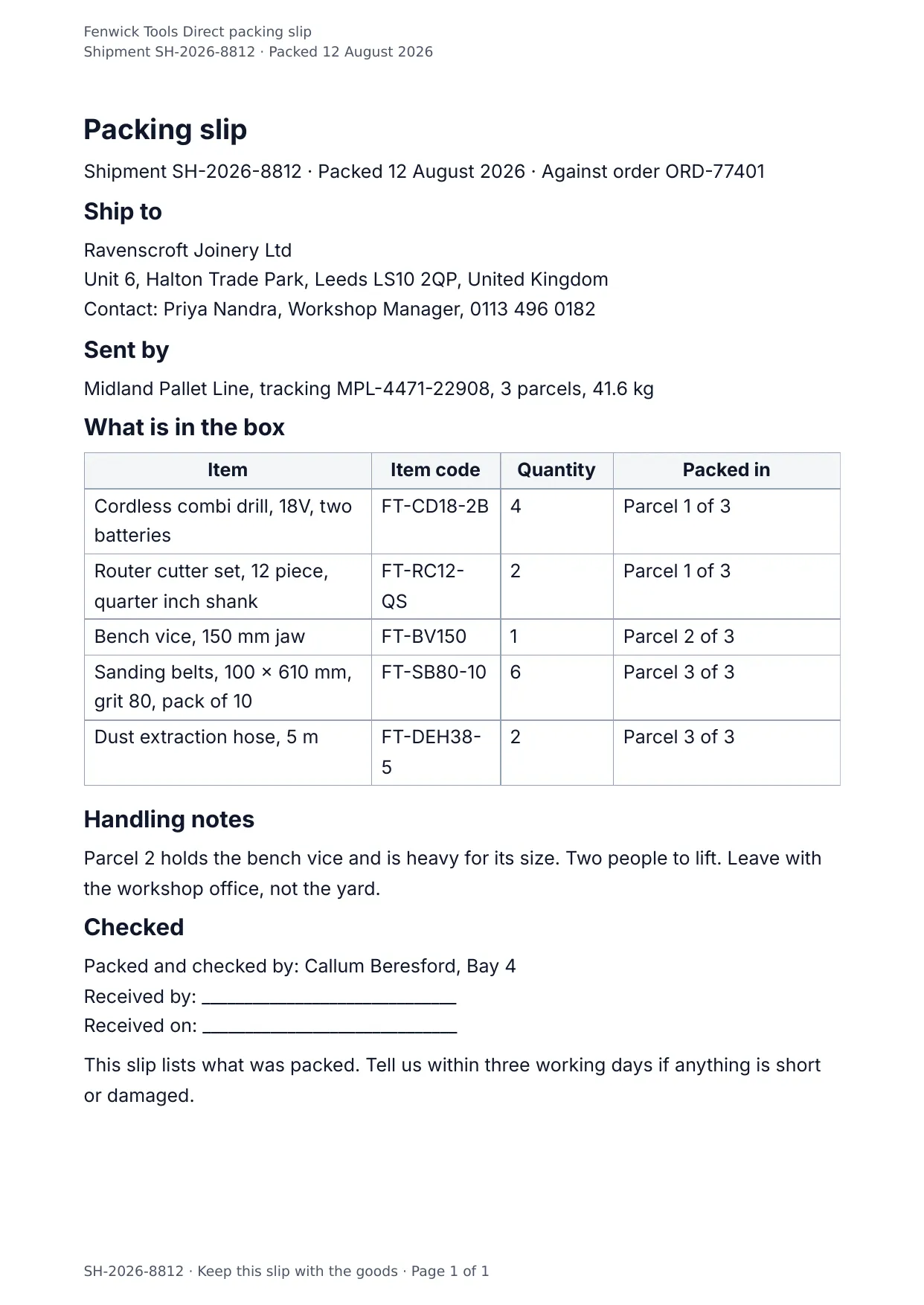
The first page of the document DocMake makes from the sample values on this page.
Operations
Packing Slip
What is in the box, in a format the warehouse and the customer both read at a glance.
Rendered per shipment from your fulfillment data; item rows expand automatically.
Blanks to fill
| shipment_number | Shipment number |
| ship_date | Packed |
| order_number | Order number |
| recipient_name | Recipient |
| shipping_address | Shipping address |
| recipient_contact | Contact |
| carrier | Carrier |
| tracking_number | Tracking number |
| number_of_parcels | Parcels |
| total_weight | Total weight |
| handling_notes | Handling notes |
| packed_by | Packed and checked by |
| company_name | Company |
| packed_items[] | One per item, so a row is added for every item in the list |
The data behind the preview
This is the exact JSON that produced the document above. Change the values, POST them to the API, and you get your version back as DOCX or PDF. Lists grow and shrink with your data; the layout adapts.
- 01 Sign up free and duplicate this template into your workspace.
- 02 Adjust the wording and branding in the visual editor.
- 03 Fill it in the app, share it as a form link, or call the API.
{
  "company_name": "Fenwick Tools Direct",
  "shipment_number": "SH-2026-8812",
  "order_number": "ORD-77401",
  "ship_date": "12 August 2026",
  "recipient_name": "Ravenscroft Joinery Ltd",
  "shipping_address": "Unit 6, Halton Trade Park, Leeds LS10 2QP, United Kingdom",
  "recipient_contact": "Priya Nandra, Workshop Manager, 0113 496 0182",
  "carrier": "Midland Pallet Line",
  "tracking_number": "MPL-4471-22908",
  "number_of_parcels": "3",
  "total_weight": "41.6 kg",
  "packed_items": [
    {
      "item": "Cordless combi drill, 18V, two batteries",
      "item_code": "FT-CD18-2B",
      "quantity": "4",
      "packed_in": "Parcel 1 of 3"
    },
    {
      "item": "Router cutter set, 12 piece, quarter inch shank",
      "item_code": "FT-RC12-QS",
      "quantity": "2",
      "packed_in": "Parcel 1 of 3"
    },
    {
      "item": "Bench vice, 150 mm jaw",
      "item_code": "FT-BV150",
      "quantity": "1",
      "packed_in": "Parcel 2 of 3"
    },
    {
      "item": "Sanding belts, 100 x 610 mm, grit 80, pack of 10",
      "item_code": "FT-SB80-10",
      "quantity": "6",
      "packed_in": "Parcel 3 of 3"
    },
    {
      "item": "Dust extraction hose, 5 m",
      "item_code": "FT-DEH38-5",
      "quantity": "2",
      "packed_in": "Parcel 3 of 3"
    }
  ],
  "handling_notes": "Parcel 2 holds the bench vice and is heavy for its size. Two people to lift. Leave with the workshop office, not the yard.",
  "packed_by": "Callum Beresford, Bay 4"
}
Generate this document via the API
One template plus changing data is the whole point. The list of blanks above is the contract, and every new set of values comes back in the same layout: fill it in the app, hand someone a form link, or POST the JSON and get the file straight back.
The request below carries this page's own values, so it runs as soon as the template exists in your workspace. Swap the values for yours and the response is your document.
curl -X POST https://app.docmake.io/api/v1/render \
  -H "Authorization: Bearer $DOCMAKE_API_KEY" \
  -H "Content-Type: application/json" \
  -H "Accept: application/json" \
  --output packing-slip.pdf \
  --data-binary @- <<'JSON'
{
  "template_id": "tmpl_your_template_id",
  "format": "pdf",
  "data": {
    "company_name": "Fenwick Tools Direct",
    "shipment_number": "SH-2026-8812",
    "order_number": "ORD-77401",
    "ship_date": "12 August 2026",
    "recipient_name": "Ravenscroft Joinery Ltd",
    "shipping_address": "Unit 6, Halton Trade Park, Leeds LS10 2QP, United Kingdom",
    "recipient_contact": "Priya Nandra, Workshop Manager, 0113 496 0182",
    "carrier": "Midland Pallet Line",
    "tracking_number": "MPL-4471-22908",
    "number_of_parcels": "3",
    "total_weight": "41.6 kg",
    "packed_items": [
      {
        "item": "Cordless combi drill, 18V, two batteries",
        "item_code": "FT-CD18-2B",
        "quantity": "4",
        "packed_in": "Parcel 1 of 3"
      },
      {
        "item": "Router cutter set, 12 piece, quarter inch shank",
        "item_code": "FT-RC12-QS",
        "quantity": "2",
        "packed_in": "Parcel 1 of 3"
      },
      {
        "item": "Bench vice, 150 mm jaw",
        "item_code": "FT-BV150",
        "quantity": "1",
        "packed_in": "Parcel 2 of 3"
      },
      {
        "item": "Sanding belts, 100 x 610 mm, grit 80, pack of 10",
        "item_code": "FT-SB80-10",
        "quantity": "6",
        "packed_in": "Parcel 3 of 3"
      },
      {
        "item": "Dust extraction hose, 5 m",
        "item_code": "FT-DEH38-5",
        "quantity": "2",
        "packed_in": "Parcel 3 of 3"
      }
    ],
    "handling_notes": "Parcel 2 holds the bench vice and is heavy for its size. Two people to lift. Leave with the workshop office, not the yard.",
    "packed_by": "Callum Beresford, Bay 4"
  }
}
JSON
tmpl_your_template_id is
a stand-in: build this template in the visual editor and copy the id it shows, or create one with POST /api/v1/templates. Keys, formats, strict mode and batches are in the API reference.
Or let an AI assistant do it
The DocMake MCP server lets Claude and other assistants make this document the same way. Install it once:
claude mcp add docmake \
  --env DOCMAKE_API_KEY=dm_your_api_key \
  -- npx -y @docmake/mcp@latest
Then ask for the document in plain words:
Make a PDF from my Packing Slip template with shipment number "SH-2026-8812" and packed "12 August 2026".
More operations templates
Change Order
The instructed change, where it came from, what it costs line by line, what it does to the programme, and the contract sum it leaves behind.
View template →Daily Site Report
The day on site in one sheet: weather, crew, plant, work done, deliveries and what held the job up.
View template →Field Service Report
One engineer visit written down: the fault, the time on site, the parts fitted, the tests that proved it and the customer signature.
View template →