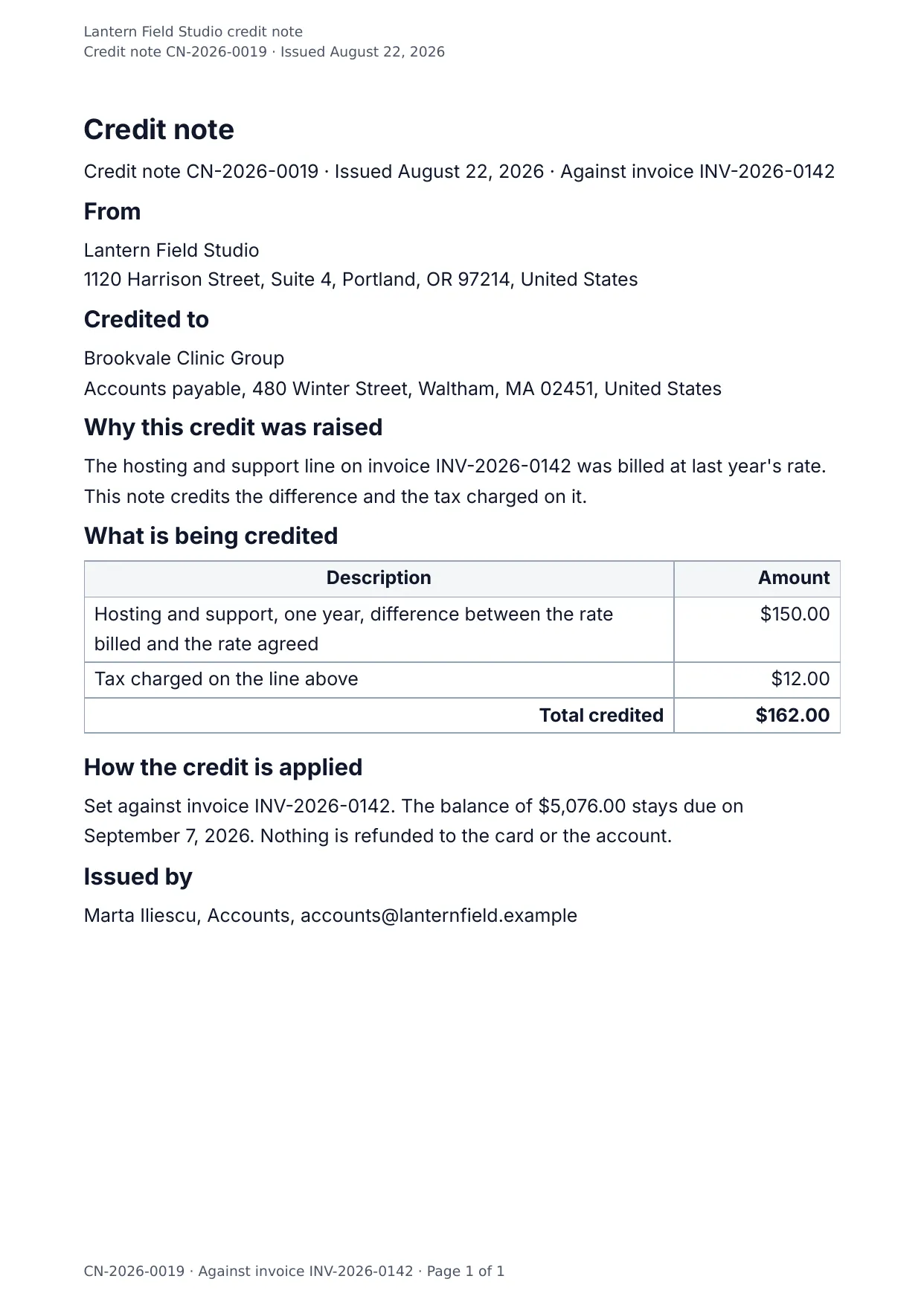
The first page of the document DocMake makes from the sample values on this page.
Finance
Credit Note
When an invoice needs correcting, a clean credit note keeps the paper trail honest: original invoice reference, reason, itemized credit rows.
Same layout every time keeps your accountant and your client's accountant equally happy.
Blanks to fill
| credit_note_number | Credit note number |
| issue_date | Issue date |
| invoice_reference | Invoice reference |
| company_name | Company |
| company_address | Company address |
| client_name | Client |
| client_address | Client address |
| reason | Reason |
| total | Total credited |
| how_applied | How the credit is applied |
| issued_by | Issued by |
| items[] | One per item, so a row is added for every item in the list |
The data behind the preview
This is the exact JSON that produced the document above. Change the values, POST them to the API, and you get your version back as DOCX or PDF. Lists grow and shrink with your data; the layout adapts.
- 01 Sign up free and duplicate this template into your workspace.
- 02 Adjust the wording and branding in the visual editor.
- 03 Fill it in the app, share it as a form link, or call the API.
{
  "company_name": "Lantern Field Studio",
  "company_address": "1120 Harrison Street, Suite 4, Portland, OR 97214, United States",
  "credit_note_number": "CN-2026-0019",
  "issue_date": "August 22, 2026",
  "invoice_reference": "INV-2026-0142",
  "client_name": "Brookvale Clinic Group",
  "client_address": "Accounts payable, 480 Winter Street, Waltham, MA 02451, United States",
  "reason": "The hosting and support line on invoice INV-2026-0142 was billed at last year's rate. This note credits the difference and the tax charged on it.",
  "items": [
    {
      "description": "Hosting and support, one year, difference between the rate billed and the rate agreed",
      "amount": "$150.00"
    },
    {
      "description": "Tax charged on the line above",
      "amount": "$12.00"
    }
  ],
  "total": "$162.00",
  "how_applied": "Set against invoice INV-2026-0142. The balance of $5,076.00 stays due on September 7, 2026. Nothing is refunded to the card or the account.",
  "issued_by": "Marta Iliescu, Accounts, accounts@lanternfield.example"
}
Generate this document via the API
One template plus changing data is the whole point. The list of blanks above is the contract, and every new set of values comes back in the same layout: fill it in the app, hand someone a form link, or POST the JSON and get the file straight back.
The request below carries this page's own values, so it runs as soon as the template exists in your workspace. Swap the values for yours and the response is your document.
curl -X POST https://app.docmake.io/api/v1/render \
  -H "Authorization: Bearer $DOCMAKE_API_KEY" \
  -H "Content-Type: application/json" \
  -H "Accept: application/json" \
  --output credit-note.pdf \
  --data-binary @- <<'JSON'
{
  "template_id": "tmpl_your_template_id",
  "format": "pdf",
  "data": {
    "company_name": "Lantern Field Studio",
    "company_address": "1120 Harrison Street, Suite 4, Portland, OR 97214, United States",
    "credit_note_number": "CN-2026-0019",
    "issue_date": "August 22, 2026",
    "invoice_reference": "INV-2026-0142",
    "client_name": "Brookvale Clinic Group",
    "client_address": "Accounts payable, 480 Winter Street, Waltham, MA 02451, United States",
    "reason": "The hosting and support line on invoice INV-2026-0142 was billed at last year's rate. This note credits the difference and the tax charged on it.",
    "items": [
      {
        "description": "Hosting and support, one year, difference between the rate billed and the rate agreed",
        "amount": "$150.00"
      },
      {
        "description": "Tax charged on the line above",
        "amount": "$12.00"
      }
    ],
    "total": "$162.00",
    "how_applied": "Set against invoice INV-2026-0142. The balance of $5,076.00 stays due on September 7, 2026. Nothing is refunded to the card or the account.",
    "issued_by": "Marta Iliescu, Accounts, accounts@lanternfield.example"
  }
}
JSON
tmpl_your_template_id is
a stand-in: build this template in the visual editor and copy the id it shows, or create one with POST /api/v1/templates. Keys, formats, strict mode and batches are in the API reference.
Or let an AI assistant do it
The DocMake MCP server lets Claude and other assistants make this document the same way. Install it once:
claude mcp add docmake \
  --env DOCMAKE_API_KEY=dm_your_api_key \
  -- npx -y @docmake/mcp@latest
Then ask for the document in plain words:
Make a PDF from my Credit Note template with credit note number "CN-2026-0019" and issue date "August 22, 2026".
More finance templates
Commercial Invoice
The invoice that travels with an export: commodity code, origin and weight on every line, and a declaration to sign.
View template →Expense Report
A claim for what somebody spent, line by line with the kind of spend, the total, and a line for the approver.
View template →Invoice
A bill with the work priced line by line, the tax and the total under the amounts, and how to pay it.
View template →