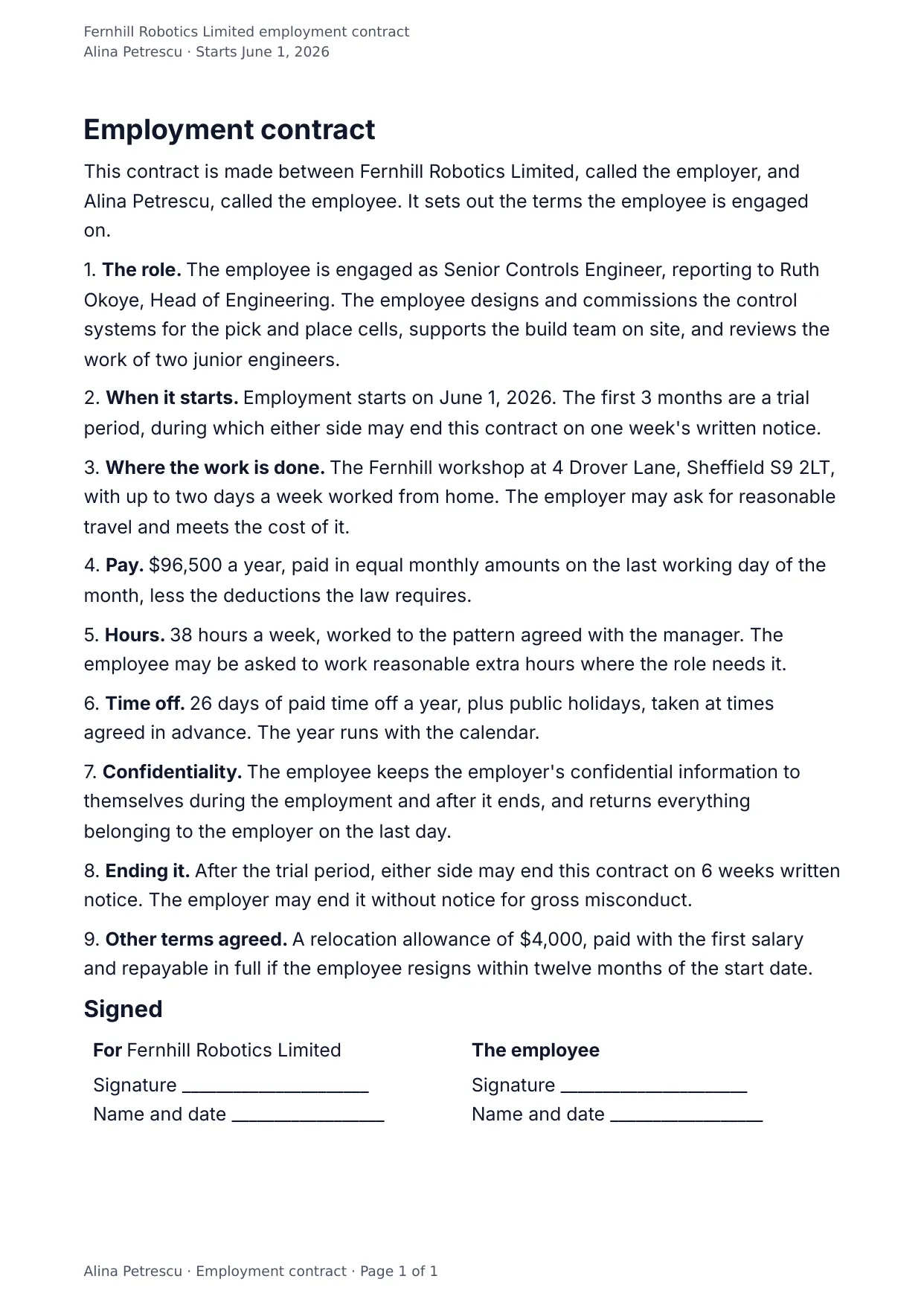
The first page of the document DocMake makes from the sample values on this page.
Legal
Employment Contract
Every negotiated number in one place: salary, probation, notice period, and leave are fill-in fields, so HR edits data, not paragraphs.
Native DOCX output means the signed original archives exactly like your other HR documents.
Blanks to fill
| employer_name | Employer |
| employee_name | Employee |
| role_title | Role |
| manager_name | Manager |
| duties | What the job involves |
| start_date | Start date |
| probation_months | Months of trial period |
| workplace | Where the work is done |
| salary | Yearly salary |
| hours_per_week | Hours a week |
| vacation_days | Days of paid time off |
| notice_weeks | Weeks of notice |
| other_terms | Other terms agreed |
The data behind the preview
This is the exact JSON that produced the document above. Change the values, POST them to the API, and you get your version back as DOCX or PDF. Lists grow and shrink with your data; the layout adapts.
- 01 Sign up free and duplicate this template into your workspace.
- 02 Adjust the wording and branding in the visual editor.
- 03 Fill it in the app, share it as a form link, or call the API.
{
  "employer_name": "Fernhill Robotics Limited",
  "employee_name": "Alina Petrescu",
  "role_title": "Senior Controls Engineer",
  "manager_name": "Ruth Okoye, Head of Engineering",
  "duties": "The employee designs and commissions the control systems for the pick and place cells, supports the build team on site, and reviews the work of two junior engineers.",
  "start_date": "June 1, 2026",
  "probation_months": "3",
  "salary": "$96,500",
  "hours_per_week": "38",
  "workplace": "The Fernhill workshop at 4 Drover Lane, Sheffield S9 2LT, with up to two days a week worked from home",
  "vacation_days": "26",
  "notice_weeks": "6",
  "other_terms": "A relocation allowance of $4,000, paid with the first salary and repayable in full if the employee resigns within twelve months of the start date."
}
Generate this document via the API
One template plus changing data is the whole point. The list of blanks above is the contract, and every new set of values comes back in the same layout: fill it in the app, hand someone a form link, or POST the JSON and get the file straight back.
The request below carries this page's own values, so it runs as soon as the template exists in your workspace. Swap the values for yours and the response is your document.
curl -X POST https://app.docmake.io/api/v1/render \
  -H "Authorization: Bearer $DOCMAKE_API_KEY" \
  -H "Content-Type: application/json" \
  -H "Accept: application/json" \
  --output employment-contract.pdf \
  --data-binary @- <<'JSON'
{
  "template_id": "tmpl_your_template_id",
  "format": "pdf",
  "data": {
    "employer_name": "Fernhill Robotics Limited",
    "employee_name": "Alina Petrescu",
    "role_title": "Senior Controls Engineer",
    "manager_name": "Ruth Okoye, Head of Engineering",
    "duties": "The employee designs and commissions the control systems for the pick and place cells, supports the build team on site, and reviews the work of two junior engineers.",
    "start_date": "June 1, 2026",
    "probation_months": "3",
    "salary": "$96,500",
    "hours_per_week": "38",
    "workplace": "The Fernhill workshop at 4 Drover Lane, Sheffield S9 2LT, with up to two days a week worked from home",
    "vacation_days": "26",
    "notice_weeks": "6",
    "other_terms": "A relocation allowance of $4,000, paid with the first salary and repayable in full if the employee resigns within twelve months of the start date."
  }
}
JSON
tmpl_your_template_id is
a stand-in: build this template in the visual editor and copy the id it shows, or create one with POST /api/v1/templates. Keys, formats, strict mode and batches are in the API reference.
Or let an AI assistant do it
The DocMake MCP server lets Claude and other assistants make this document the same way. Install it once:
claude mcp add docmake \
  --env DOCMAKE_API_KEY=dm_your_api_key \
  -- npx -y @docmake/mcp@latest
Then ask for the document in plain words:
Make a PDF from my Employment Contract template with employer "Fernhill Robotics Limited" and employee "Alina Petrescu".
More legal templates
Bill of Sale
A record of goods sold from one party to another, with a table of the items, the price paid, and the day they are collected.
View template →Commercial Lease Agreement
A lease for business premises with the rent, the deposit, who looks after what, and the fixtures recorded at handover.
View template →Data Processing Agreement
An Article 28 agreement with the eight processor duties, and annexes for what is processed, how it is kept safe, and who else touches it.
View template →