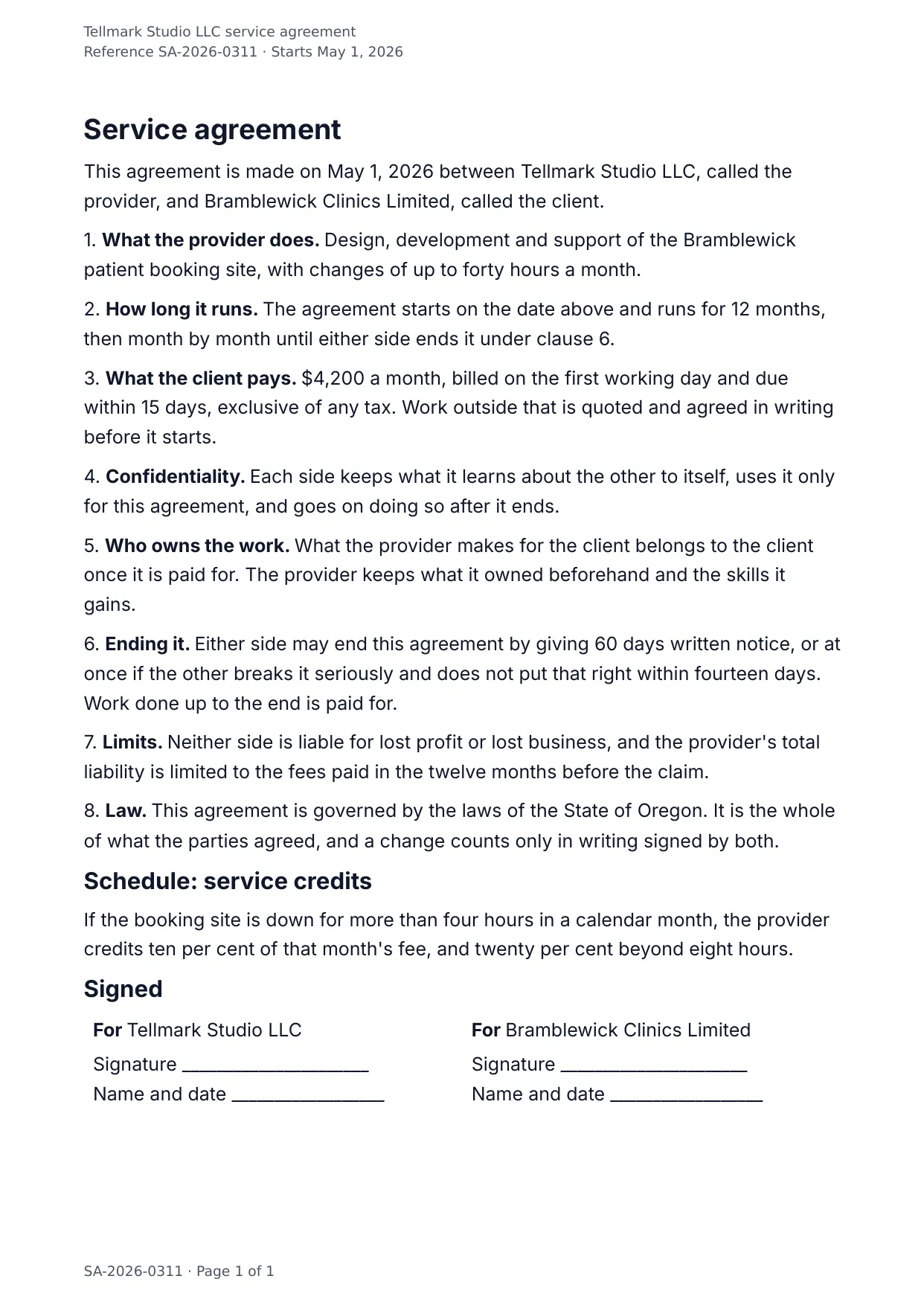
The first page of the document DocMake makes from the sample values on this page.
Legal
Service Agreement
The contract you send for every retainer: eight numbered sections, clean signature block, and every negotiable number (term, fee, notice period) as a fill-in field.
Because output is native DOCX, the counterparty's lawyer can redline it like any Word document.
Blanks to fill
| effective_date | Date it starts |
| provider_name | Who does the work |
| client_name | Who the work is for |
| services_description | What the provider does |
| term_months | How many months it runs |
| monthly_fee | Monthly fee |
| payment_days | Days to pay a bill |
| notice_days | Days of notice |
| governing_law | Governing law |
| service_credits | Service credits |
| agreement_reference | Agreement reference |
The data behind the preview
This is the exact JSON that produced the document above. Change the values, POST them to the API, and you get your version back as DOCX or PDF. Lists grow and shrink with your data; the layout adapts.
- 01 Sign up free and duplicate this template into your workspace.
- 02 Adjust the wording and branding in the visual editor.
- 03 Fill it in the app, share it as a form link, or call the API.
{
  "agreement_reference": "SA-2026-0311",
  "effective_date": "May 1, 2026",
  "provider_name": "Tellmark Studio LLC",
  "client_name": "Bramblewick Clinics Limited",
  "services_description": "Design, development and support of the Bramblewick patient booking site, with changes of up to forty hours a month.",
  "term_months": "12",
  "monthly_fee": "$4,200",
  "payment_days": "15",
  "notice_days": "60",
  "governing_law": "the laws of the State of Oregon",
  "service_credits": "If the booking site is down for more than four hours in a calendar month, the provider credits ten per cent of that month's fee, and twenty per cent beyond eight hours."
}
Generate this document via the API
One template plus changing data is the whole point. The list of blanks above is the contract, and every new set of values comes back in the same layout: fill it in the app, hand someone a form link, or POST the JSON and get the file straight back.
The request below carries this page's own values, so it runs as soon as the template exists in your workspace. Swap the values for yours and the response is your document.
curl -X POST https://app.docmake.io/api/v1/render \
  -H "Authorization: Bearer $DOCMAKE_API_KEY" \
  -H "Content-Type: application/json" \
  -H "Accept: application/json" \
  --output service-agreement.pdf \
  --data-binary @- <<'JSON'
{
  "template_id": "tmpl_your_template_id",
  "format": "pdf",
  "data": {
    "agreement_reference": "SA-2026-0311",
    "effective_date": "May 1, 2026",
    "provider_name": "Tellmark Studio LLC",
    "client_name": "Bramblewick Clinics Limited",
    "services_description": "Design, development and support of the Bramblewick patient booking site, with changes of up to forty hours a month.",
    "term_months": "12",
    "monthly_fee": "$4,200",
    "payment_days": "15",
    "notice_days": "60",
    "governing_law": "the laws of the State of Oregon",
    "service_credits": "If the booking site is down for more than four hours in a calendar month, the provider credits ten per cent of that month's fee, and twenty per cent beyond eight hours."
  }
}
JSON
tmpl_your_template_id is
a stand-in: build this template in the visual editor and copy the id it shows, or create one with POST /api/v1/templates. Keys, formats, strict mode and batches are in the API reference.
Or let an AI assistant do it
The DocMake MCP server lets Claude and other assistants make this document the same way. Install it once:
claude mcp add docmake \
  --env DOCMAKE_API_KEY=dm_your_api_key \
  -- npx -y @docmake/mcp@latest
Then ask for the document in plain words:
Make a PDF from my Service Agreement template with date it starts "May 1, 2026" and who does the work "Tellmark Studio LLC".
More legal templates
Bill of Sale
A record of goods sold from one party to another, with a table of the items, the price paid, and the day they are collected.
View template →Commercial Lease Agreement
A lease for business premises with the rent, the deposit, who looks after what, and the fixtures recorded at handover.
View template →Data Processing Agreement
An Article 28 agreement with the eight processor duties, and annexes for what is processed, how it is kept safe, and who else touches it.
View template →